Home » Posts filed under Blogger Widgets
Facebook popup is one the most favorite widgets specially for blogger users which can focus on enhancing more likes and engagement. It's a JavaScript based social media widget fully workable on blogger templates and regular html websites. The popup functions on the basis of browser's cookies expiry time if you set it for 7 days then jQuery will direct HTML to function after every 7 days for a user and for 30 days it will work after 30 days interval. The widget is fully customizable and over monetized in design and outlook. The jQuery plugin is developed by
colorpowered.com and copyrights to Jack Moore. If you want to share this article on your blog then don't forget to give credit me also the main author.
Two days back we published a famous blogger theme that is
CopyBlogger theme which is a mobile compatible theme and
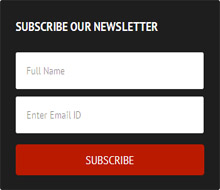
overall SEO friendly. The most integrated part of the theme that is blended on the sidebar of template is the email subscription box you may notice on our demo blog. One of my readers asked to drop this widget on my blog so that he can use on his blog. So we decided to share this tutorial with you all. This widget also can function on wordpress blogs if you deliver email feed through feedburner then you can use this widget on your sidebar. The installation procedure is much easier for both Blogger and WordPress. We will show you all both the procedures but before we're gonna take a look of demo
This tutorial first appeared on
James Simpson's blog where the script writer
combined Blogger comments, Facebook comments and Twitter tweet box. But it's the beginning of many bloggers through Google's Blogger when Google didn't release today's
most popular Google+ comments so James had to work on Facebook comments, Blogger comments and third most popular threading platform Twitter. But now as the Google+ is becoming most popular as the commenting system when over 90 million active Google account holders can leave comments on blog posts, Google communities, hangouts and everywhere across Google reign. So people is trying to combine both Google+ Facebook and Blogger comments altogether on blogger blogs.
Anyway here is a good news is that I successfully stand out to make the work possible by combining Facebook, Blogger and Google+ commenting system on blogger blogs. But this time i had to depend on James's script and I added and modified some codes there. Now the widget is fully compatible with blogger custom and official template. You may want to check out a demo below
Blogger templates are not much flexible to customize out of blogger's official template designer tool. To every newbie it's too easy to stylize the official templates with designer tool but when we come to design custom blogger templates we must be an experienced designer othewise we couldn't perform well and any mistake can entirely destroy any part of our blog.
One of the blogger's template features is post summary tag. In official templates this widget is auto generated but in custom template we're to make custom summary tag manually. Today's part of our regular guide we'd show you all how you can make your old blogger template's post summary tag into wordpress styled professional summary tag which is most popular style on blogging sphere and it will give you new experience in blogging.
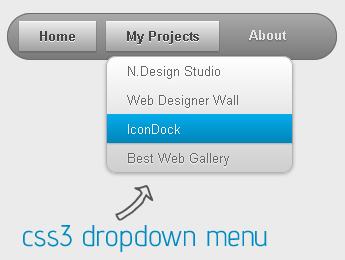
Css3 is the advanced standard of Css is a completely backwards-compatible with earlier versions of css. This standard includes some advanced modules to design the web and other html documents that is run on server based platforms. One of the Css3's functions is Multiple Column Layout which is written in basic Css core but its standard adapts it into a complex module. It's also fun to create dropdown menus with Css3 written document. Today's part of our regular guide we'd show you all how to create a simple dropdown menu with css3 snippet and how to make it usable for blogger templates. It's really fun to play with advanced programming languages but you must have enough about these syllables.
Today facebook comments plugin has rapidly replaced third part commenting
system like
disqus and others. They are also being crawled and indexed
by search robots. Facebook comments plugin is more popular commenting system since its official launch on 2009 for web-development purposes. In our previous post we shown you all how to add
facebook comments on blogger templates easily with the support of facebook javascript sdk and some optimized coding. Today's part of our tutorial series we'd show you all how add both facebook and blogger comments together with a simple toggle function. Today's part should be interesting to all of you the readers. An special thank to
James Simpson who developed and written the snippet and we learnt a new way of combing two most powerful and popular commenting system like as
blogger and google+ comments.
We will be using a different approach here and only using the javascript code but we switched first blogger then facebook also we brought a miracle change to each tab with advanced design. Let's see how they play finally...:
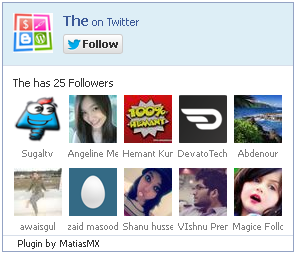
Moopz.com stopped providing twitter fan box widget since a year, so lots of users are unable to show twitter follower counts to integrate more people in their twitter community. This plugin not any official launch of
twitter.com however third part developers have made the plugin workable like as facebook fan box on any html website and blog. Adding a new Fan Box to your website helps people to follow you without
having to leave your website and connect with you on Twitter. Also this encourages people to follow you as your Twitter profile will be presented in the box (until the last 20 people). This Fan Box is a great way to increase your number of Twitter followers without having to send visitors away from your website. It helps to grow your audiences rapidly and socialize your brands working on various platforms. Let's have a look and learn how to integrate this plugin on both Blogger and WordPress
Hello bar is an active medium to get some extra impressions, conversions, social share, views, traffic, CTR reasonably from visitors. It's a fun,
unobtrusive yet highly visible web toolbar that hangs on the top of your website and is a
great way to engage users and get them to take some extra actions on your particular content. There are lots of guides to properly using hello bar although hello bar team bringing more changes on their user interfaces but the process will lead you to setting a complete bar no matter what interface changes applied.
Today's guide is made on current interface changes of
hello bar so i think it will not be a trouble for any user to apply the
method.
Basically we offered this tutorial for blogger users but we updated it for WP users with appropriate guidelines attaching comprehensive images. Let's see how perfectly we can go through hello bar.
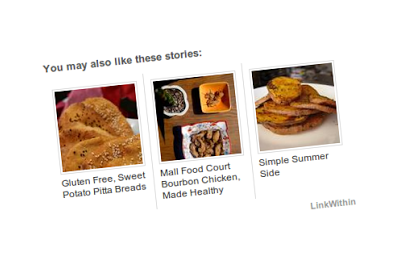
LinkWithin is a blog widget that appears under each post, linking to related stories from your blog archive. It is a free
widget generator for your dream blog, no ads and no signing up required therefor it's a free premium service which retrieves your random posts to
show in between a category or under the same label. The widget links to stories that are relevant and interesting to readers of a particular post, keeping them engaged with your blog, and
increasing your traffic. On an average there are 90% or above blog users like linkwithin even me too.
Today i'd share an article with you all about how to install linkwithin widget on your blogger blog and give a perfect view with two colored themes.
Dear bloggers the day before we posted how to configure threaded comment widget on official blogger templates and this configuration works only for certain templates that blogger team hosts and copyrights.But that method doesn't work on custom
templates which are downloaded from unofficial sites developed and designed by experienced users. Unlike wordpress users there are thousands of premium themes to install and design a perfect blog,
blogger supports only a number of 6 templates in different characters for their users. So there are up-to 80% bloggers prefer custom designed template to do blogging and later they fall on the trouble like threaded comment errors.
Why this problem occurs? some of us know about it, it's because when a developer develop a template he tries to apply the available all features but in case some of scripts may not added or he copied some script from other and that code may contain the error but the developers didn't check it before using and thus the problem occurs. I myself faced the threaded comment problem but i recovered it myself later.
One of the great things about Disqus is the diversity of
conversations, sites and people across the network. On any given day,
there are 120 million people connecting to Disqus to be part of
discussions covering all topics imaginable. Increasingly, people are
finding new stuff to talk about by connecting with other commenters. So over the past year, disqus team have been building ways that make it easier for you to
find and follow people on Disqus who may help you discover new communities.
In the last couple
of months, they released improvements to profiles, My Disqus and digest
emails to make it easier to discover new discussions across Disqus.This widget now running on nine more different platforms and blogger is the second most popular platform after wordpress used my millions of blogger users on the web. By this tutorial you could learn how manually install disqus comment box widget on blogger blog.