Showing posts with label Tutorials. Show all posts

Top 8 Popular Websites for Merchants to Sell Digital Downloads

We all love digital downloads online, since we want to save our time to get all things done within moments and spend rest of the time with our normal activities. But do you know there are still a portion of people who cover their stuffs in very simple manner and love to produce creativity alongside their career and sell those creativity to make a happier and self restrained living online.

Yes, you can be one of them if you really believe in trust and success. So today, you can even start making money online once you’re one of those people have already created digital product but never thought to sell to your target customers.

Here I have arranged the carts for you to show and sell your products on right place to boost up sales and make stream flow of money overnight. Let’s see, what are those carts?

Useful Tutorials:

PayPal

The service which is the internet payment processing giant covering 165 million people across the world providing 12.5 million payments for their customers each day. PayPal is not only a leading online payment processor but also a reliable and only solution for online shopping.

PayPal

PayPal gives people the highest flexibility to pay using their PayPal account balance, bank accounts, PayPal Credit and credit cards. It’s a complete global payments platform available to people in 203 markets, allowing customers to get paid in more than 100 currencies, fund withdrawal ability to their bank account in 57 currencies.

The above statistics measure how strong PayPal’s reign in online payment processing and how people from rest of world trust PayPal in their daily online transactions. The conversion rate of PayPal in online payment processing is almost higher than any other services.

Useful links:-

Features:-

  • PayPal charges 2.5% + $0.30 per Sale
  • Get paid in Bank accounts, Check, PayPal Debit MasterCard
  • Accept payments from PayPal and Credit Card
  • No risk of account cancellation issue but you need to be a verified user to work with them

Clickbank

It’s not any specific bank since they don’t provide banking solution but it’s a giant store of digital products, software, eBooks, and services. They’re an a world class affiliate company covering 1.5 million affiliate marketers, on approximation 100K of whom are designated as ‘active’ at any given time.

Clickbank

The last estimated revenue reports from the company claimed to have paid affiliates and vendors over $1.8 billion, with 35,000 transactions processed per day and generated over $350 million in annul revenue.

Useful links:-

Features:-

  • Charges an one-time fee of $50 for each product
  • For each sale they charge 7.5% + $1
  • Get paid in Check, Direct deposit to US bank account [Partnered with Payoneer]
  • Accept payments from Credit Card and PayPal

E-junkie

A great solution for merchants who sell digital downloads (tangible or intangible goods) in automatic and secured way with E-junkie.

E-junkie

The way it works as simple as creating an account, setting up cart or buy now buttons to website, driving customers into sales page, customers input their payment details, payments are verified and processed in secured way, and orders are completed with both the satisfaction of buyer and seller.

Useful links:-

Features:-

  • Pricing starts at $5/month for managing up to 10 products and 50MB of storage
  • Accept payments from PayPal, Google Checkout, TrialPay, 2Checkout, and Authorize.net

Gumroad

Gumroad is a faster growing platform allowing merchants to sell digital goods directly to their audience. This website is best known for their flexible online payment processing since a buyer requires only Credit Card or PayPal account to buy any digital product with fewer clicks without having to provide any physical address.

Gumroad

Despite having rich online store and targeted audience to buy products directly from their site they provide inbuilt widgets embeddable on web-pages to direct customers on sales page. The static product page and overlay options work good to drive more conversion rate.

Useful Links:-

Features:-

  • Gumroad charges 5% + $0.25 per sale
  • Accept payments through Cards and PayPal
  • Getting paid in PayPal (Outside US resident) and ACH Bank wire transfer (US resident) [Accepts Payoneer’s US Payment service]

Sellfy

Sellfy is a great place for users who don’t have websites to sell products online but can make a living online by selling digital goods directly to their audience.

Sellfy

Sellfly provides mostly content in eBooks, web development, web design, creativity, software, music, and other kind of digital downloads.

Useful Links:-

Features:-

  • Sellfy charges 5% per sale
  • Accepts payments from PayPal and Credit Card
  • Get paid in PayPal, Stripe, Paymill

Payloadz

Payloadz is a place to sell digital downloads to target audience easily. Some useful features include expiring links, shopping carts, coupons, affiliate management and more.
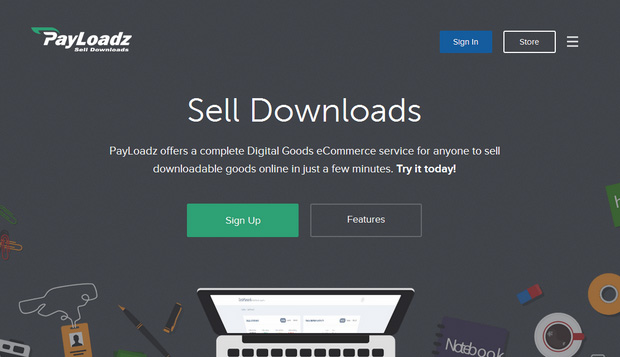
Payloadz

Useful Links:

Features:-

  • Pay $15/month in addition with transaction fee 4.9% + $0.49
  • Pay 20% fee per sale
  • Accept payments from PayPal, Google Checkout, Amazon Payments, 2CO, and TrialPay.

Selz

With Selz you can sell any kind of digital product that matter your business. You don’t need to have any website to get started with Selz but your online account credentials are quite enough. 
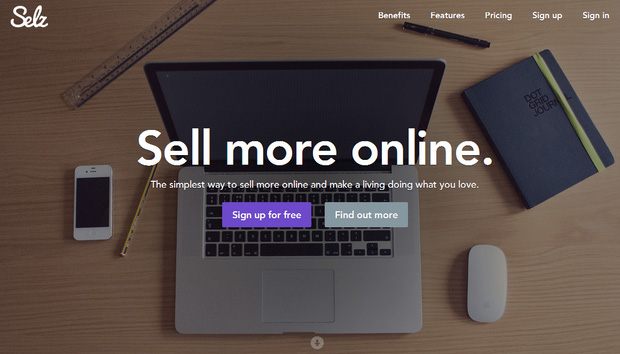
Selz

Sell products directly to your audience.

Useful Links:-

Features:-

  • Pay 2% per transaction in addition with 2.9% + $0.25 per sale
  • Get paid in your Bank account or PayPal.

Blue Snap

Blue Snap is another fastest growing payment gateway, and global ecommerce services which already raises $50 million for its global payment, reported techcrunch. The flexible integration option of BlueSnap has made it effortlessly easy to integrate checkout pages and shopping carts which drive more conversion rate.

Blue Snap
 
BlueSnap services reach out shoppers in 180 countries localized checkout experience, 110 of total payment types, 60 currencies and 29 of operating languages.

Useful Links:-

Conclusion

The above listings can be enough to choose the right place in selling your digital products online. I have made this listing based on popularity online but if you consider lower pricing rate then you have to avert the list in your way.

If you get this article helpful don’t forget to share with your friends and social media fans.
Continue Reading »

How to Get Payoneer Account Approved [Step by Step Guide with Pictures]

Payoneer is a world class payment services provider connecting over 200+ countries and top of the leading internet based companies make transaction super easy with the of help its virtual US Payment services which is deserved by every cardholder.

In today’s eCommerce business Payoneer has played a great role by making an interaction between companies, marketers and customers across the globe. The feature has made Payoneer more influential is providing Automatic Clearing House (ACH) for making deposits to Payoneer cardholders who reside outside US and doesn’t have US bank account.

Not only these are the prime benefits working with Payoneer but also you can get much more premium powerhouse of assists for making your internet based businesses deals upon great border of success.

Continue Reading »

Beginner's Guide to Setup Google's FeedBurner for Blog & Get More out of It

So you want to get started your email marketing startup with Feedburner because you already have created a blog under your favorite niche and you decided to capture emails of your target audience. It's not the case for you but also for many people who are now ignoring Feedburner once they started with Feedburner on primary level of their blogging journey. The thing is that Feedburner is not any old blog content syndication service but some of its features are dull and gloomy as compared to advanced level email marketing as supposed to Aweber, Mailchimp, iContact, MailGet etc. services.

There are quite some drawbacks still suck Feedburner to deliver publishers the better user experience which meet their businesses. Due to having lots of bugs still hundreds of thousands of blog publishers give priority to Feedburner to capture emails and deliver blog content because of its free services and you could be one of them.

Continue Reading »

How to Create A Free Website with .Com Domain Name for 1 Year

Creating a website is dream to many of newbies who just have entered the internet world and get to work together with fundamentals from scratch. To create a website there all we know we need a hosting space [where our website resources like content, design, database, and other things are to be stored] and a domain name [which will give address to our website] provider. You can get most affordable hosting package from HostGator with [25% OFF] and domain name from Namecheap [use Coupon code "RAINYDOMAIN" to get special discount] to create your business website right now.

How to Create A Free Website with .Com Domain Name for 1 Year

Anyway today by this article I will show you all how to create a website with top level domain .com, .net or .info absolutely free for 1 year and then you have to pay $2/month and $5 setup fee. The procedure is very easy and any newbie can apply it to test drive their online business today.
Continue Reading »

Create Free Business Email Address with Google Apps and Namecheap

Google apps is a premium Google service which basically works with businesses providing email address, online storage, shared calenders, video meetings and more. This platform is well known for providing custom email address which is driven by a domain address [i.e. Your company website address] with this format "email@yourcompany.com". You will be given 30GB of storage with 24/7 support capability. Not only you create your business email address but also you can add users to your business so that they can access your services easily.

We will use Namecheap domain provider to perform our custom MX records setup, so if you don't have any domain address under Namecheap [who provides the cheapest and most affordable domain address of the planet] you can get one [Use coupon Code “RAINYDOMAIN” to get special discount] for your own business.

Create Free Business Email Address with Google Apps and Namecheap

Namecheap Offers Special Discount on Domain Purchase [Hot Offer]

Discounted COM, NET, ORG, BIZ Registrations and Transfers

The coupon code entitles you to register or transfer your .com, .net, .org, .biz, .info at the following discounted rates:
  • COM Registration $9.66 + $0.18 ICANN Fee
  • COM Transfer $8.84 + $0.18 ICANN Fee
  • NET Registration $11.32 + $0.18 ICANN Fee
  • NET Transfer $10.52 + $0.18 ICANN Fee
  • ORG Registration $10.21
  • ORG Transfer $9.41
  • INFO Registration and (or) Transfer $9.66
  • BIZ Registration $10.21BIZ Transfer $10.03
Hurry, though – this is a limited time offer and is also restricted to 30 uses per account!

Access Namecheap domain registration page
Use coupon code "RAINYDOMAIN" to get special discount on domain registration

Create Free Business Email Address with Google Apps and Namecheap

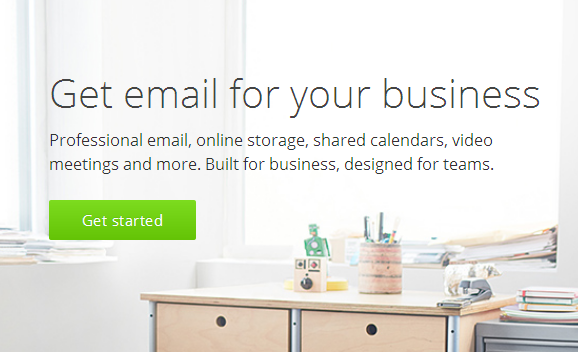
1. First of all go to Google apps for work official page and click on “Get started” button

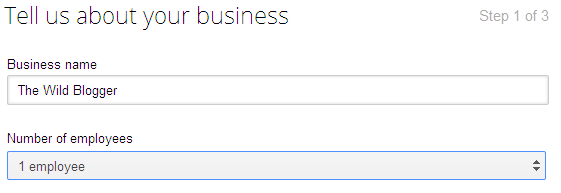
2. Now provide your business name [i.e. Your website name may be], Number of employees [i.e. Quantity of people working under your business], Country/Region [i.e. Your location] and hit “Continue” button

Tell us about your business

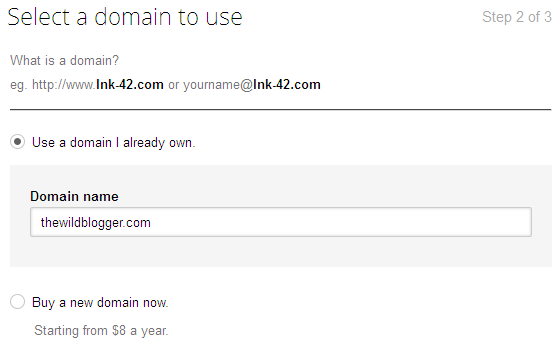
3. On step two you have to insert your domain URL with “yoursite.com” format or you can purchase a new domain just at $8/year cost. Now click on “Continue” to proceed

Select a domain to use

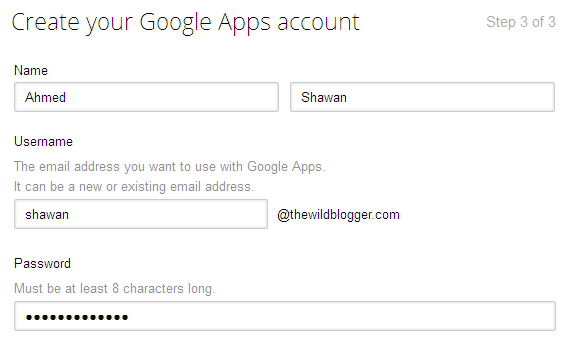
4. To create your Google apps account you have to provide your Name, Username, Password, Recovery email address [Email address is used to recover your Google apps account if forget password or username], Phone number, Security verification and click on “Continue” to setup your Google apps account

Create Google apps

Verify Domain

5. Now you have to verify your domain address using two separate options [Meta tags, or file upload], in case of my Blogger site verification I have used Meta tags but if you use WordPress then you can upload a file containing Meta tags on public_html folder using FileZilla client or Cpanel file upload option

Verify Domain

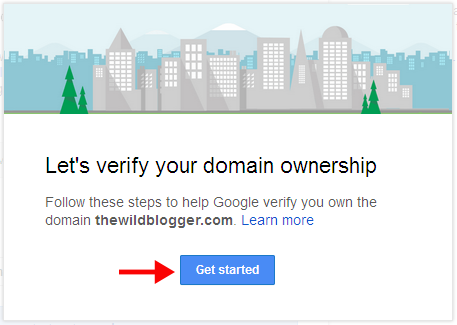
Let's verify domain ownership

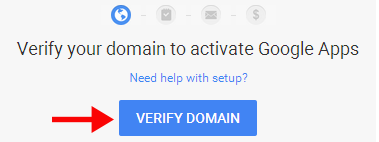
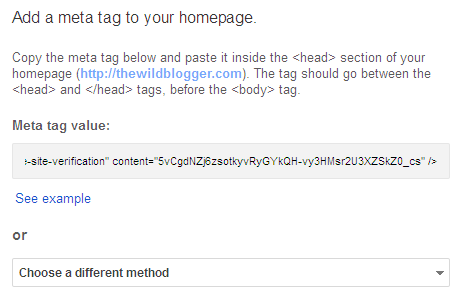
6. So to verify your domain click on “Verify Domain” button then hit on “Get started” and choose two of the following domain verification method. When you will add Meta tag value on your blog or site you must embed it after <head> tag or before </head> tag

Add meta tag to your website

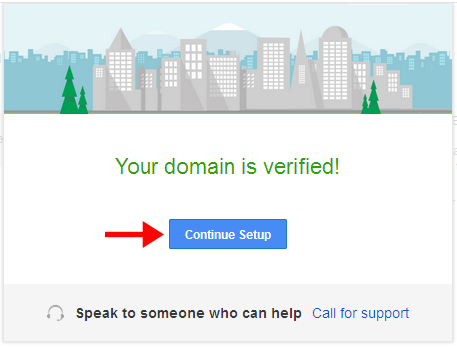
7. After adding Meta tag value simply check the box says “I have added the meta tag to my homepage” and click on “Verify” button. A popup will say your domain is verified so click on “Continue” to proceed

Domain is verified

Create accounts for your team

8. On this step you have to add users here so they can start using apps and services. To add users who are in your circle or Gmail  groups you can add them by clicking on “Add users” link and choose your options to add new users or to skip this step simply click on “Next”

Create accounts for your team

Set up email

9. This is the very important part of our work since you have to setup Gmail with new MX (mail exchange) records under Domain control panel. Not very hard to organize but will take fewer than 2/3 minutes to setup.

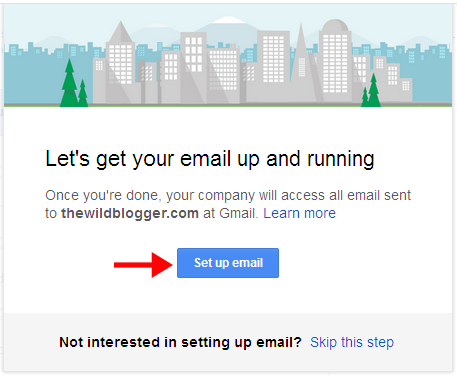
10. To continue click on “Set up Gmail” and a popup will say “Let’s get your email up and running” while you have to click again on “Set up email”

Set up Gmail


Set up email

Domain setup

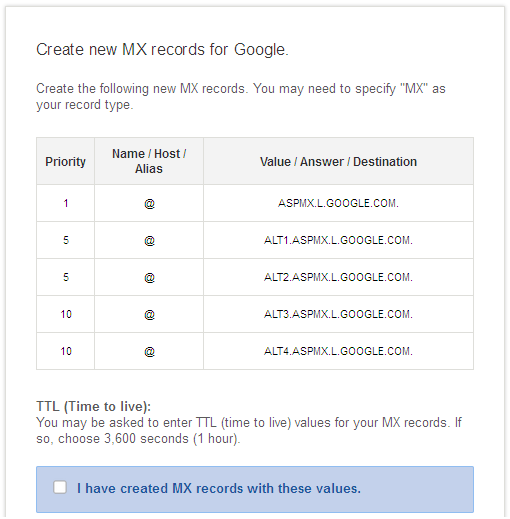
11. Google apps require you to set up six different options to verify your domain MX records so that all your emails can be directed to your business email connected with a Gmail account under your custom domain address.

12. As we will perform custom MX record setup with Namecheap.com so make sure you have registered domain address under Namecheap.com. If you don’t have any domain address yet then I think you’re missing the cheapest domain service with all available features from Namecheap.

Look what Namecheap provides you:
  • Namecheap runs at $10.69/yr for .com domains [including WHOIS Guard support]
  • Free secured DNS service
  • Personalized custom email address upto 5 emails
  • Auto domain renewal service
  • Live support with 24/7 hours
  • Namecheap is proactive in account security which is absent in many domain register companies
  • And lots of new features, you can check this post for Namecheap special offers
So I think you have namecheap account now login your account and click on “Manage Domains”. Now click on your domain address and navigate to “All Host Records”

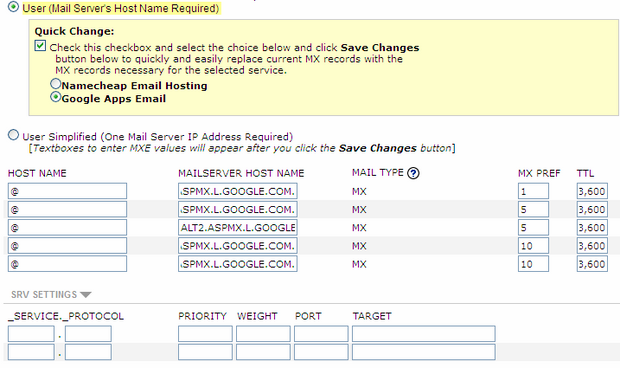
13. Here we have to create new custom MX records so scroll down the page a little and check “User (Mail Server’s Host Name Required)” and click on “Save changes”

14. Here all the custom MX records property will go under “Host Name”, “Mail Server Hostname”, “MX Pref” and “TTL”. Before inputting these blank boxes we have to switch “Admin Console” tab of browser to get Custom MX records.

Custom MX records.

15. Now tick first three tabs and with fourth tab which provides MX records values you have to just copy values under “Mailserver Host Name” and put the five values sequentially under “MAILSERVER HOST NAME”

Custom MX records in Namecheap

16. Fill the first column’s blank boxes with “@” character. Then fill “MX PREF” with property values. And “TTL” with “3,600” which is for second.

17. Finally click on “Save changes” and you’re successfully updated Custom MX records in Domain Cpanel.

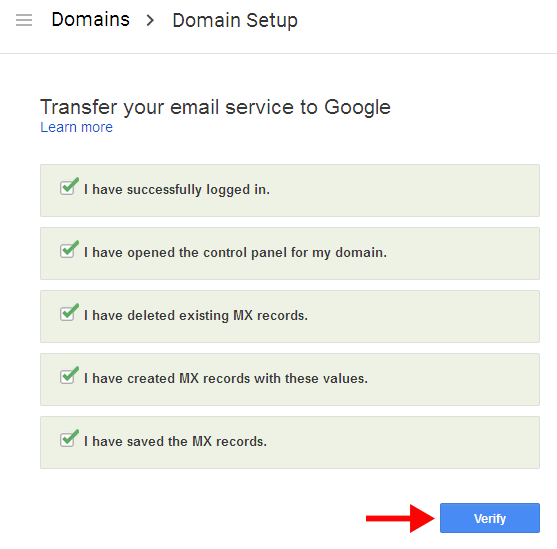
18. Again switch to “Admin Console” tag of Google apps and tick other two tabs. Later click on “Verify” button and you will see an instant feedback from Google apps that you have successfully created MX records under your domain address.

Domain setup

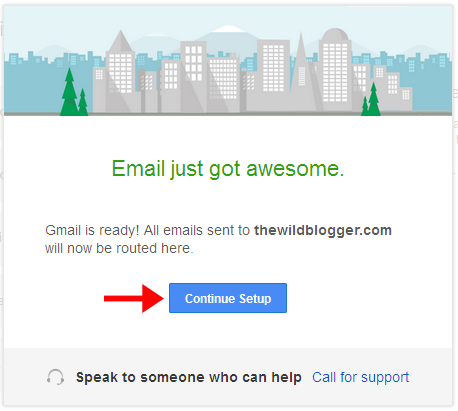
Email just go awesome

Mail setup will take at least 24 hours to be completely verified and you will get notification message once done.

Note: This Google apps service is for 30 days trial period only so if you want a lifetime service then you have to purchase their subscription plans. There are different types of plans Google apps provide according to usability of apps service.
Continue Reading »

20 Best Free Websites to Learn HTML5, CSS3 & Webdesign

Learning web design is an amazing experience to specially design students and enthusiasts. Web design is such a world class study you can learn it from anywhere else in this world basically when design courses are available to download from internet as a PDF version and almost free. There are different cores of learning web design as there is a combination of programming languages and web design technologies so a student needs to learn both of these two things to be a complete designer. To create responsive website design a designer needs to depend on advanced web design technologies HTML5 and CSS3 but these are very advanced level programming codes for fourth generation and to master these languages a person must be a code savvy.

So I think all of you who want to read this blog are code savvy basically on regular web design codes HTML, CSS, JavaScript etc. Now it's you turn to take Masters even Phd. on web design codes by learning HTML5 and CSS3. 

This article covers some of best resources, articles, and goodies of advanced web design technologies HTML5 and CSS3. In addition you can learn other codes like JavaScript, PHP, jQuery etc.

1. HTML5Rocks

HTML5Rocks
HTML5Rocks
HTML5Rocks has a group of highly experienced web designers who provide articles to educate people HTML5 with addictive experiments, examples, visual content and demonstrations. The sole purpose of this website is to educate students to build mobile applications, develop browsers extensions like chrome, opera, safari, Firefox etc. and learn responsive web design with step by step guides. Note that HTML5Rocks is a Google project so  people can get additional support from the biggest giant of web developments and technologies.
Continue Reading »

8 Awesome Ways to Use Google Contacts to Build Your Personalized Emails

Google contacts is a free service allowing users to access and modify email addresses both for individual contacts and groups. The contacts lists are connected with Gmail groups with Friends, Family, Acquaintances, Following, Featured on Google+ etc. Circles. Only those people connected in any of the above circles will be automatically added on Google contacts under Other contacts or Most contacted groups. You can add other email addresses directly from Gmail to Google contacts who are not in your circles. Google contacts can help you to make your email marketing campaign more effective by categorizing individual contacts, showing users details, and more orders.


8 Awesome Ways to Use Google Contacts to Build Your Personalized Emails

Today's tutorial I will show you all how effectively you can use both Google contacts and Gmail to market your email and get more conversion than other social marketing.

Related Tutorial:

1. Keyboard Shortcuts

Google contacts support a handy lists of Keyboard shortcuts both in Desktop and smart phones. To get it done you have to enable Keyboard shortcuts from settings options as well as you can make your Google contacts more personalize by setting up Language, Phone numbers, Max. page size, and Keyboard shortcuts.
Continue Reading »

10 Awesome Ways To Use Google Docs and Get More Out of It

Google docs is a Google Apps script allows users to create, access and modify documents under Google drive cloud storage. The document service of Google is free and easy to access once you have a Google account. You can create dynamic web formats, rich media content, visual content, infographic, text document and more using Google docs. You have wide lists of handy tools that can be used to enrich your document using images, quotes, videos from preferences. Fortunately Google docs allow keyboard shortcuts that are similar to Microsoft Word Document shortcuts so that you can use this service more productively. Also sharing options will help you to instantly share your document with your friends in Google accounts, and other social networks like Facebook, Twitter. You can also embed your document on web pages.


10 Awesome Ways To Use Google Docs and Get More Out of It

Today's of our regular guide I will show you all how you can use Google docs to make your document informative, comprehensive and acceptable.
Continue Reading »

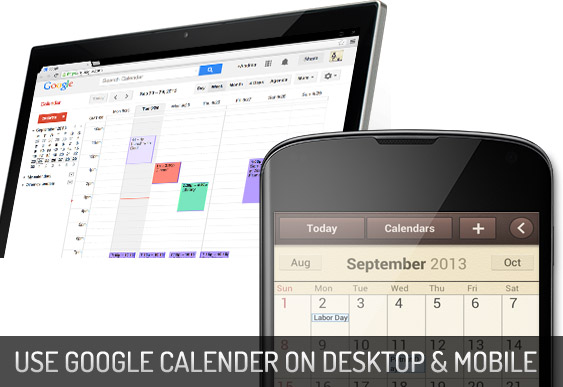
6 Ways to Use Google Calender on Desktop & Smart Phones

Google Calender is a handy application being used millions of desktop users, smart phones, and android devices. The Google calender released as a beta version in July 2009 (after 3 years of it's initialization). To use this service users are required a Google Account in order to use the software. The Google calender is very easy to manage, you can create your own events,create multiple calenders, design your events, share your scheduling with friends in Gmail contacts or Gmail groups, embed your calender on webpages, share your calender RSS feeds, invite guests to your events, edit/remove events and calenders and lots of features available.

6 Ways to Use Google Calender on Desktop & Smart Phones

Today by this tutorial I have gone through all the important features of Google Calender specially focusing on beginners side so that they can understand it easily. I hope you will enjoy the post.
Continue Reading »

12 Awesome Websites to Learn Coding Challenges to Train Your Brain

Programming is called poetry which is essential part of nearly every industry known to man, the way it helps organize and maintain large systems is not possible to compare to anything else, and so more and more people begin their journey. You can learn coding both from interactive platforms, and also from books – whichever you find most appropriate and easy to learn from. But, sometimes that’s not good enough, and we want to practice new things.
Coding is more about creativity, your ability to come up with new and interesting ideas; but sometimes, due to the large amount of time spent tackling common problems, we forget about creativity.

12 Awesome Websites to Learn Coding Challenges to Train Your Brain

Learning better coding is still hopes for many people who specially want to be code savvy in future. But it's now possible to learn the advanced code since there are lots of websites provide tutorials on codes and surprisingly they're all free at cost although some of them require to upgrade pro but you can continue with basic
Continue Reading »

35 Top Rated Firefox Addons That Will Boost Your Productivity

Mozilla Firefox is the second most popular PC web browsing application in the world which is a free and open source web browser developed for Windows, OS X, and Linux, with a mobile version for Android, by the Mozilla Foundation and its subsidiary, the Mozilla Corporation. Firefox is a C++, JavaScript written web browsing application which is currently operating with Windows, OS X, Linux, Android, NetBSD, OpenBSD, OpenIndiana and more. Currently available 33.1.1 version which is on Beta and 34.0 Beta is the latest one. Anyway today i have come across a handful list of Mozilla Firefox addons which are most popular, featured, top rated and highest time downloaded and installed on internet. 

35 Top Rated Firefox Addons That Will Boost Your Productivity

Here are top 35 best Firefox addons hope that you will get these are helpful to extend your web browsing experience.
Continue Reading »

30 Free Creative Web Design Courses for Beginners 2015

Web design is the ultimate creativity by human which is similar to art, and beauty. What artist does? just to emerge the ideas from his mind and make them appear through a simple brush. In such case web designer is an artist since he/she gathers the most efficient and beautiful ideas from his mind and make them appear with coding. The only difference is, Art we can see on paper and web design we see on the web. Mastering the web design is what i can say a "cherish" which requires hard working, attentiveness, correct focus, and almost patient. If you have all these elements then you can be a perfect web designer just it needs time or nothing more. 

Today I have come across a gather of free handful web design courses arranged by world's leading web design resource site Tutsplus.com. All the most important, newest and popular collections. 

30 Free Creative Web Design Courses for Beginners 2015

The benefit is that every tutorial includes video guide which ensures your power to master crafts swiftly. You just only need to signup to get accessed all the guides, if you wish you can purchase the entire guide just by $15. Let's begin.
Continue Reading »

11 Awesome Websites You Can Learn Programming Codes!

11 Awesome Websites You Can Learn Programming Codes!
Codes are poetry, it's fun and more actionable to design web, applications and gadgets. We are all very much familiar with web development coding like HTML, CSS and a little bit JavaScript. These are all the fundamentals of web design and perfectly suited for novices. But for Geeks HTML5, CSS3, PHP, Ruby, Python are the best choices to play and discover the desired elements. Learning programming online is all what i can say one of the best practices of internet. It's not any kind of tutorial that we can cover by a week or month but it's an entire course which requires months or even years to finish. 

Learning programming is one big test of patience but it's more elegant, beautiful and interesting when you're deep in the lessons. You will jump up the advanced lessons when you complete the basics sequentially. There are lots of resources available online to learn programming code and there are most famous one as well.
Continue Reading »

30 Most Vital SEO Tools I Use While Publishing and Sharing Blog Posts

It's since many days i'm not sharing any personal stuff with you all as i did this past but miscellaneous contents have moved me away. But today i've come with bundles of SEO tools, strategies i personally use for onpage SEO of this blog. You all know during past 4/5 months there are lots of queries are established on the web who give me thousands of views every month. Eventually my blog posts get huge views from other search engines like Aol, Yahoo, Ask, Msn, Baidu. My CTR and CPC is getting improved day by day as i actually do organic SEO for this blog.
Everyday for blogging purposes i use some specific tools who help me enough to onpage optimize my posts and get boost of traffic within 2/3 days of publishing. I use only free tools but very effective and actionable tools they are.

30 Most Vital SEO Tools I Use While Publishing and Sharing Blog Posts

Today i will meet you all what types of tools i use for onpage SEO of this blog and how my posts get quick search visibility after 2/3 days of publishing.
Continue Reading »

How To Get Approved Media.net Publisher Network by 3 Days

Media.net is considered to be the second best ad publishing network after Google adsense comparing several factors i.e. ad quality, cost per click, payment method, ad auction and much more. If your site is not approved by Google adsense you have still good chance to make reasonable income by Media.net that is a contextual ad network powered by Yahoo ads and Bing. But today getting approved by Media.net is a bit crucial as there are limit crossing invitation requests the company getting everyday so they accept only those sites have better traffic, specially traffic from US, UK and Canada.
In addition they focus on content type, page CTR, page rank, quality of social media profiles and visitors type. If all these things are met you have 100% chance they will accept your site no doubt. Although content type, page CTR and Page rank are optional but traffic is a must so you can participate if your site has good traffic everyday about 500+ unique visit per day.

How To Get Approved Media.net Publisher Network by 3 Days

Today in this article I'd show you all how my domain has got approved by media.net by 3 days and how you also can achieve it.
Continue Reading »

IFTTT: Publish Blogger Posts To Social Networking Sites Easily

IFTTT Syndication
Syndicating posts via social media is a habit for bloggers specially this is an action of quickly spreading out a post from blog to thousands of social networking sites users. Many of the bloggers are to think how they can syndicate their posts to top of the social media sites specially facebook, twitter, google+, tumblr and more. There are some common ways of syndicating posts like dlvr.it, bufferapp.com, hootsuite.com etc. online social media management tools but these are all limited to certain social channels so that we can't manage our favorite platforms. But thanks to IFTTT they have offered to manage upto 124 different online social media platforms with over 400+ recipes.
Continue Reading »

45+ Free Adobe Photoshop Tutorials for Icon Design

Icons are the most important component of effective and appealing web design and development. The proper usability of icons can help you to achieve a professional and solid website design look in your client eyes. Icons are naturally developed by Photoshop, Illustrator etc. softwares. Small icons are used to design gadgets and animated icons can help you to optimize widgets. To the professionals icon design is a habit but for beginners it's a great challenge. Below we've listed top 50 icon sets that you will find helpful to create your own web design. Let's get started.

Continue Reading »

HTML5 Video Player | 8 Best HTML5 Video Players 2014!

HTML5 is the latest standard of HTML which is designed to replace both HTML4, XHTML, and HTML DOM Level 2. HTML5 is used to design web, social media plugins, Graphics, Gadgets, Widgets and almost we've found this snippet is used to play movie, music with latest built in HTML5 media player (both music and video players) HTML5 is a cross-platform is designed to work whether you are using a PC, or a Tablet, a Smartphone, or a Smart TV. I've collected 8 best HTML 5 standards of music video players 2014. All these are most popular platforms on internet and tons of videos are used to play on webpages using their self media player code and third party generated snippets. So let's go to meet them all.

HTML5 Video Player | 8 Best HTML5 Video Players 2014!
Continue Reading »

Google Sites: How to Create Dynamic Wiki Style Website Easily?

Google sites based on JotSpot wiki Software is a new service of Google that lets you create and edit websites without learning HTML, CSS or JavaScript. It's a free website builder to create any categorical website for personal, business or blogging purposes. With Google's free collections of themes, templates and tons of widgets have made Google sites more flexible to managing site and publishing content. Newbies may find this platform a little bit crucial since all of its control units remaining on static pages which is not much familiar with other website building platforms. Anyway today we'd show you all how easily and quickly you can create you personal wiki style website for free within less than 5 minutes.

Google Sites: How to Create Dynamic Wiki Style Website Easily?
Continue Reading »

How To Create Custom PHP Contact Form?

PHP Contact Form
PHP is a widely-used general-purpose scripting language that is especially suited for Web development and can be embedded into HTML. PHP is one kind of functionality which runs on Server only and the Server which supports PHP scripts in addition to there are some version compatibility phenomena accused. You may run PHP by making your general PC into Server PC using Xampp, Linux for Unix System under Microsoft Authorization, Apache server etc. Whatever the best way to install PHP is just like you purchase hosting from any renowned web hosting company like BlueHost, HostGator, iPage, etc. all the top web hosting companies support all kinds of PHP versions so you will not be trouble while working on your server later.
Continue Reading »

About

The Wild Blogger is a technology blog which covers all popular and trending news of the web, tech tutorials, blog, blogging tips and tutorials, seo tips, social media marketing, content marketing and tools. Read More...

Browse by Topics

SEO Social Media Make Money

Blogger Tricks Tutorials

Blogging Tips Photoshop